{{ heroHeadline }}
Log your field readings and Turf Home takes it from there — surfacing trends early so you can step in and fix things before they become problems.

You Know Your Field.
Turf Home backs you up.
You work hard to give your team the best field in the league. Turf Home simply gives you the information you need to keep winning every day.
Easy for Your
Crew to Use
You and your crew can log what’s happening on the field in seconds, then get back to the work that matters. If you can run a mower, you can keep your turf data dialed in with Turf Home.
Helps You Win
Back Time
You shouldn’t be stuck at a desk with spreadsheets and calculators. With Turf Home, you enter and export data in just a few clicks so you spend more time on the field and less time doing paperwork.
Your Data,
Wherever You Are
You deserve to feel confident about how much water to run and what your field needs. Turf Home lets you access your data from anywhere, so you’re never guessing or digging through binders again.
See your Field Clearly
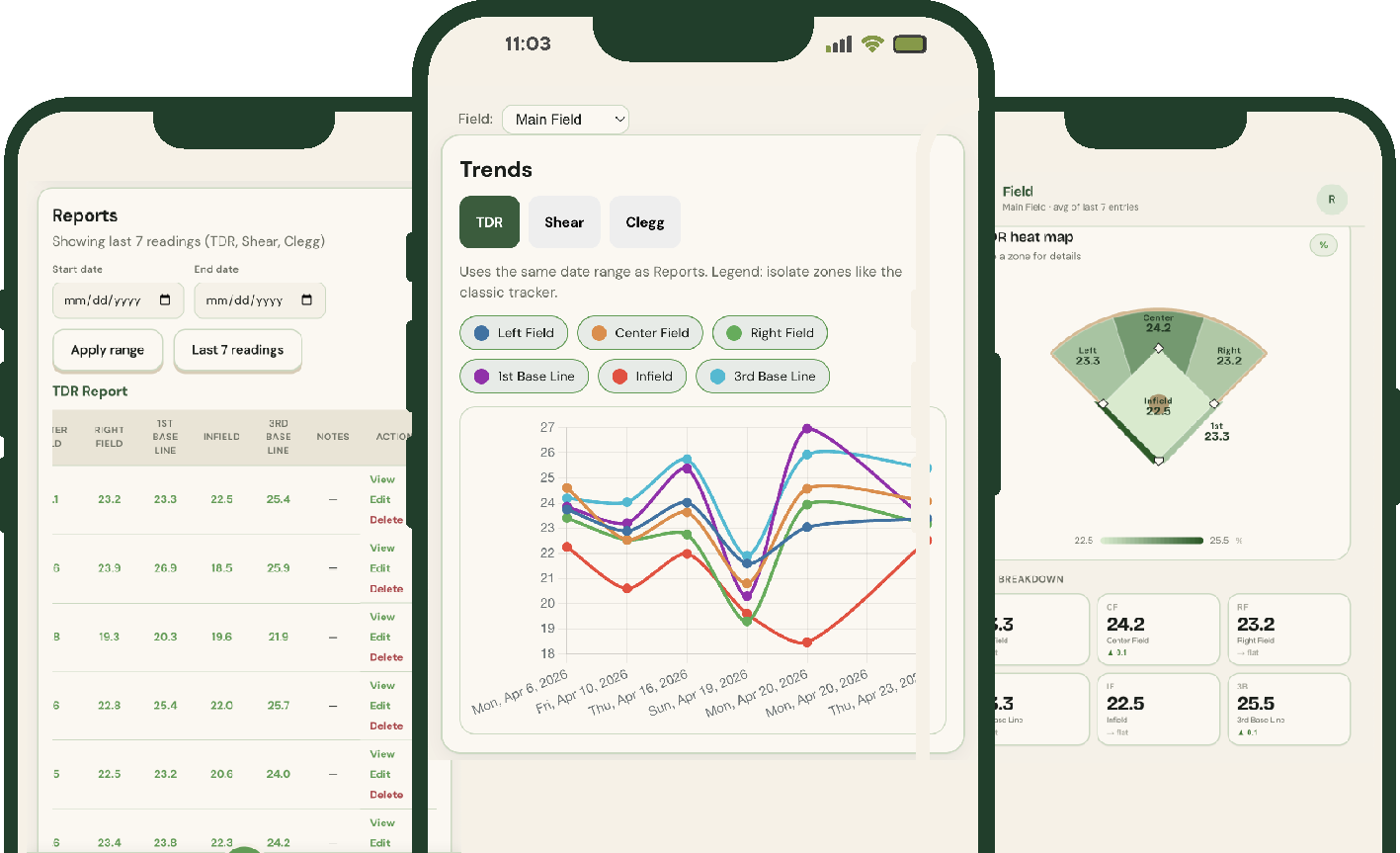
Moisture, traction, and compaction readings organized so you can act fast and confidently.
Trends
Simple line charts show how each number moves over time, helping you see highs, lows, and patterns before they turn into problems.
Reports
Every reading is logged and rolled up into clear averages, so when someone asks how the field is performing, you have the numbers at your fingertips.
Field View
You decide the zones and the “safe” ranges for your field. TurfHome uses a heat map to flag any numbers that slip outside your targets, so you know exactly where to focus next.
Built For Grounds Keepers
by Grounds Keepers.
Head Turf Managers
You’re responsible for every square foot of play. TurfHome gives you zone‑level data and trends, so you can defend your decisions and keep every field game‑ready.
Groundskeepers
You’re the ones walking the field. With TurfHome, everyone logs readings in the same place, so each crew knows exactly what the last crew saw and what needs attention next.
Sod Farmers
You grow the surface that teams depend on. TurfHome helps you track moisture, compaction, and performance indicators, so you can deliver turf with proof it’s ready to perform.
Start your free trial today.
Set up your team in about two minutes.
Start free trial